




Solutions · ITSM & ESM

One service desk for incidents, requests and changes

Data Express sets up ITSM on Jira Service Management for IT teams, covering Incident, Request, Problem, Change and Assets, with SLAs, Workflows and Automation configured to match your organization's real processes. As an Atlassian Gold Solution Partner, we help from connecting your existing systems and training your team through to support after go-live.

Built on
  • Jira Service Management
  • Assets
  • Customer Service Management
Atlassian Gold Solution Partner

Where IT service desks get stuck

If your IT team runs into these every week, the problem is usually not the people. It's that there is no central system for receiving and tracking work.

Two IT staff members looking at work on a computer screen in an office

Requests arrive by email, LINE and phone

Users report issues by email, LINE, phone or by walking over to your desk. Anything not written down gets lost, and nobody can say how many requests the team takes on each day.

Nobody can see status or SLA

Users call repeatedly to ask for updates. Team leads can't see which requests are close to breaching the agreed time, and by the time they find out, someone has already complained.

The same incidents keep coming back

The team can fix symptoms for users, but has nowhere to record root causes and fixes. The same problems come back, and knowledge gets stuck with a few people.

Assets and changes tracked in spreadsheets

Lists of machines and systems live in Excel files nobody updates. Before a change, you can't assess who will be affected, and when a Change goes wrong, it's hard to look back and see who approved it.

What we set up in Jira Service Management

We configure Jira Service Management to match the processes your IT team really uses. We turn on what you need first, then add more as your team is ready.

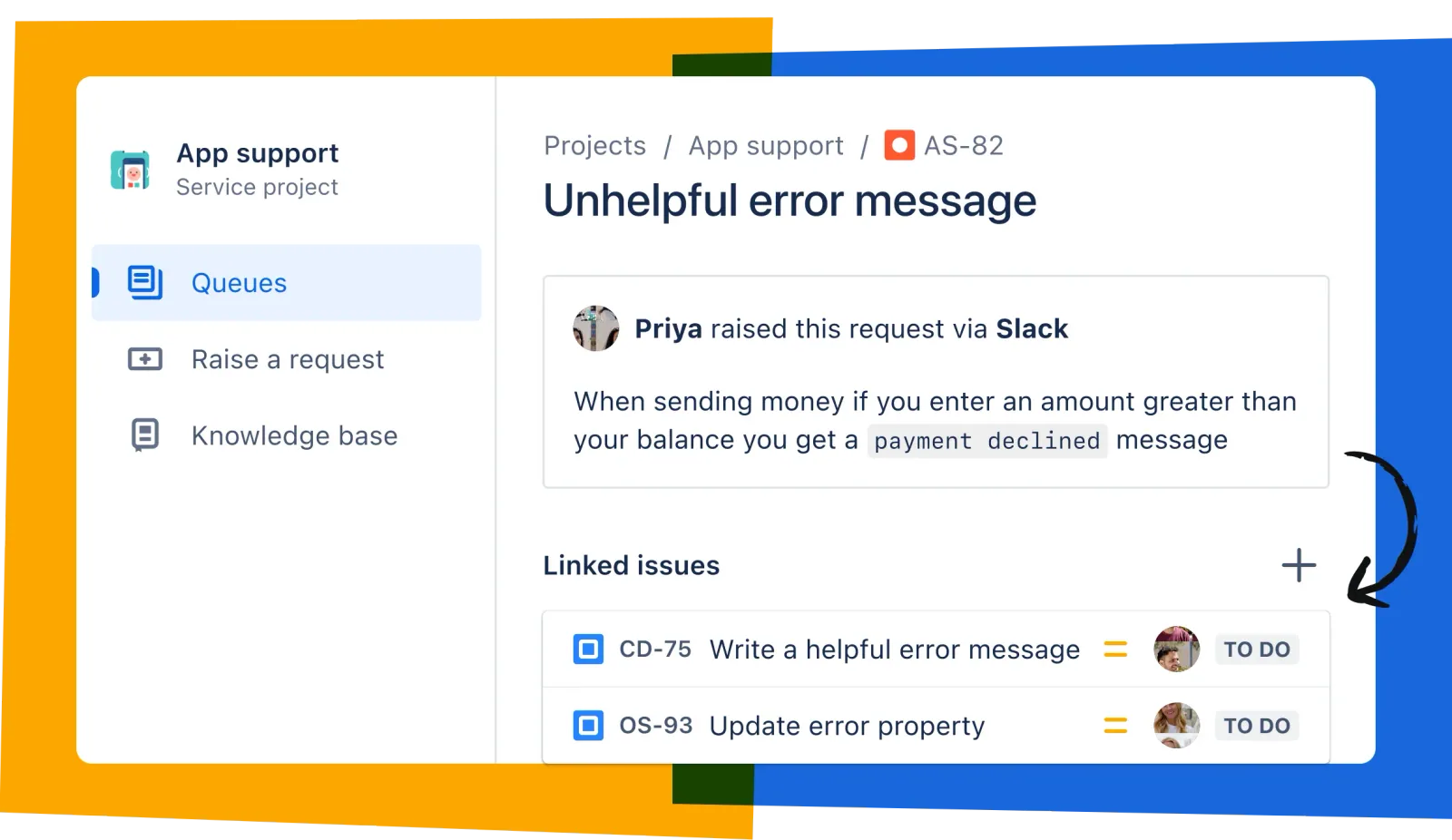
Jira Service Management screen showing the request queue, request channels and work linked to the development team

Incident management

Receive incident reports from every channel into one queue, prioritize them, route them to the responsible team, and notify the right people right away when a Major Incident occurs.

Jira Service Management

Request management and Service Catalog

Employees submit requests through a Portal with clearly organized categories. Each Request Type has its own form, so the IT team gets complete information the first time without asking back.

Jira Service Management

Problem management

Group Incidents that share the same cause into a Problem, find the root cause, and record the Workaround and the permanent fix, so the same issues don't keep returning.

Jira Service Management

Change management

Define approval steps by Change type and risk. See which Changes are happening when, and look back to check who approved them.

Jira Service Management

Asset management with Assets

Keep machine, software, license and Service data in Assets and link it to Incidents or Changes. When something goes wrong, you immediately see which systems or user groups are affected.

Assets

SLA and reporting

Set SLAs by request type and priority, counted by your organization's working hours and holidays. Team leads can use a Dashboard to see where work is stuck and which requests are close to breaching.

Jira Service Management

Workflow and automation

Design Workflows and approval steps the way your organization really works, then set up Automation to queue and assign work, send notifications, and close requests that have waited too long for a user reply.

Jira Service Management

Integrations

Pull users and groups from Active Directory or Entra ID, receive email requests straight into the queue, and take Alerts from Monitoring tools to open Incidents automatically.

Jira Service Management

Customer service with Customer Service Management

If your organization also handles cases from external customers, we set up Customer Service Management so the customer service team receives cases from multiple channels into one queue, and sees customer data and contact history in one place, separate from the IT team's queue.

Customer Service Management

Knowledge base and AI with Rovo

Write fixes for common problems in Confluence so users can search for answers before they open a request, and use Rovo to find information and answer questions from the same Knowledge Base.

Jira Service ManagementConfluenceRovo

Service Management for HR, Facilities & Legal

Requests sent to HR, Facilities, Legal or Finance often arrive by email, LINE or paper form, then get lost along the way. Employees don't know where their request stands, and approvers have to chase paperwork by phone. These teams can take requests on Jira Service Management the same way IT does. This approach is called Enterprise Service Management (ESM).

A general document approval system only handles the approval step, but approval is just one step of a request. Jira Service Management tracks the whole request from the moment an employee submits it until it's closed. Every request has an owner, a status and a response deadline. If your IT team already uses Jira Service Management, you can open a Service Desk for other teams on the same system.

  • HR

    Onboarding new hires, resignation notices, salary certificate requests, questions about leave and benefits

  • Facilities

    Repair requests, desk or seat moves, requests to use rooms and event equipment

  • Legal

    Contract review requests, document drafting requests, legal opinions, with an approval step before the response is sent back

  • Finance

    Expense approval requests, payment status inquiries, requests for accounting documents

How we'd start

We recommend starting with one team first, such as HR or Facilities. Pick the few request types employees submit most often, and set up the Request Types, approvers and SLAs fully. Use it in practice for a while, then expand to other teams.

How a rollout works

  1. Discovery

    Survey which channels users report through today, which request types exist, which team is responsible, and what systems you use.

  2. Design

    Design the Service Catalog, Workflows, approval steps, SLAs and data structure in Assets together with your team, then summarize them in a document for every team to review before we start.

  3. Build and integrate

    Configure the system to the design, connect Active Directory or Entra ID, email and Monitoring tools, and migrate the data you still need from the old system.

  4. Test and train

    Test with real users in each team, adjust what doesn't fit yet, then train Agents, team leads and system administrators.

  5. Go live in phases

    Launch the first group of Services first so daily work keeps running without disruption, then add more request types and teams to the same system step by step.

Support after go-live

A Service Desk has to keep adjusting as the work changes. We keep supporting you after go-live, so your team has someone to look after the system even without a dedicated Admin.

Premium Support

We take reports of usage and configuration issues in Thai, Monday to Friday, 8:30 a.m. to 5:30 p.m., except public holidays. The service scope is stated in the contract, and if an issue needs to go to Atlassian, we coordinate it for you.

Administration

Add Request Types, adjust Workflows, SLAs and Automation, and manage users and permissions, as your team requests.

Training

Train new Agents, team leads and system administrators, at your site or online, using examples from your own Service Desk.

Licenses and renewals

Track renewal dates and adjust the number of Agents as your team size changes.

Success story

A Thai insurer moves its helpdesk to Jira Service Management

A Thai insurance company moved from its previous helpdesk to Jira Service Management, launching in phases. It started with a Service Catalog so employees could submit requests in clearly organized categories, which kept daily service running without disruption. In the next phase, other request types will move into the same system.

Jira Service Management

Questions IT teams ask

Have another question? Call 02-437-2697 or message us on LINE at @dataexpressth.

How is Jira Service Management different from Jira?

Jira is for planning and tracking work inside a team. Jira Service Management is for receiving requests from users, with a Portal for submitting requests, an Agent queue, SLAs and Assets. The two connect, for example by passing an Incident to a development team that uses Jira to fix it.

How is Jira Service Management licensed?

It's licensed by Agent, meaning the people who receive and work on requests. Employees who submit requests through the Portal don't need a license. Jira Service Management is now part of the Service Collection, together with Customer Service Management, Assets and Rovo, in Standard, Premium and Enterprise plans. We help you decide which plan fits your team size.

If we switch from our existing helpdesk to Jira Service Management, can we migrate old data?

Yes. We first look at which data you still need, such as open Tickets, Assets records and Knowledge Base articles, and plan to migrate only what's necessary. Old history you no longer use can be exported and kept as files.

Can Jira Service Management run ITSM following ITIL practices?

Yes. Jira Service Management already includes processes for Incident, Request, Problem and Change following ITIL practices. We adjust the details to fit your team size, and you don't need to turn on every process from day one.

How long does it take to set up ITSM on Jira Service Management?

It depends on the number of Services, request types, systems to connect and data to migrate. After the first conversation, we'll propose a phased plan with a timeline, and we recommend launching the core parts first, then adding more phase by phase.

Can HR or Facilities use Jira Service Management to take requests?

Yes. We set up a separate Service Desk for each team, with its own Request Types, approvers and SLAs. Employees submit requests through the same Portal they use for IT, and each team's data can have separate access permissions. We recommend starting with one team first.

We use Jira Service Management Data Center. When do we need to move to Cloud?

Atlassian has set Data Center to reach end of life on Mar 28, 2029. After that, licenses expire and the system becomes read-only. Migration means preparing your customized Assets, Workflows and Automation and testing them with your team, so you should start planning now.

Plan your service desk with us

Tell us which channels users report through today, which systems your team uses, and where you'd like to start, and we'll help you prioritize what to launch first. Call 02-437-2697 or message us on LINE @dataexpressth.