Data Center End of Life: A Cloud Migration Checklist for Thai Organizations
If your organization still runs Jira, Confluence, or Jira Service Management on Data Center, now is the time to start planning your move to the Cloud. Atlassian has announced clear end-of-life dates. A migration means checking apps, reviewing user permissions, and testing several times, and the earlier you start, the less you have to rush at the end. This article pulls together the key dates, your Cloud options, and a checklist your IT team can start using today.
Key dates to know
Atlassian is ending Data Center in three stages. Each stage affects organizations differently, depending on whether you are a new customer or already run Data Center.
- March 30, 2026: Atlassian stops selling new Data Center subscriptions and Data Center apps on the Atlassian Marketplace to new customers.
- March 30, 2028: The last day existing customers can buy new subscriptions, buy Marketplace apps, or add users. Existing customers are organizations that already had Data Center before March 30, 2026.
- March 28, 2029: Data Center reaches End of Life. Subscriptions and Marketplace apps expire, and the system becomes read-only.
The time between now and 2029 sounds long, but with annual budget cycles, most organizations get just a few chances to set budgets and approve projects. If a migration project is not yet in your budget plan, start talking to procurement and approvers now.
Bitbucket Data Center, Bamboo Data Center, and Jira Align Data Center are not part of the schedule above. If your organization uses any of these, check the latest terms on Atlassian's Data Center end of life page.
What happens after March 28, 2029
Data Center does not disappear on the end-of-life date. Your data can still be viewed, but the system becomes read-only, and your team can no longer create or edit work in it.
- Data Center subscriptions and Marketplace apps expire
- Atlassian stops releasing updates and stops providing support
- Existing data remains accessible in read-only mode
Before that date, Atlassian continues to provide technical support, release patches for critical security vulnerabilities, and offer the Data Center-to-Cloud migration tools through March 28, 2029. Extended maintenance after that date is something Atlassian says it will consider as a special exception.
Extended maintenance is not something every organization can count on. Systems your teams use every day, such as the IT service desk or the knowledge base in Confluence, should be migrated and tested before the end-of-life date.
Cloud options and migration tools
Atlassian's destination is Atlassian Cloud, which comes with migration tools, so your IT team does not need to write data migration scripts.
Jira Cloud Migration Assistant and Confluence Cloud Migration Assistant
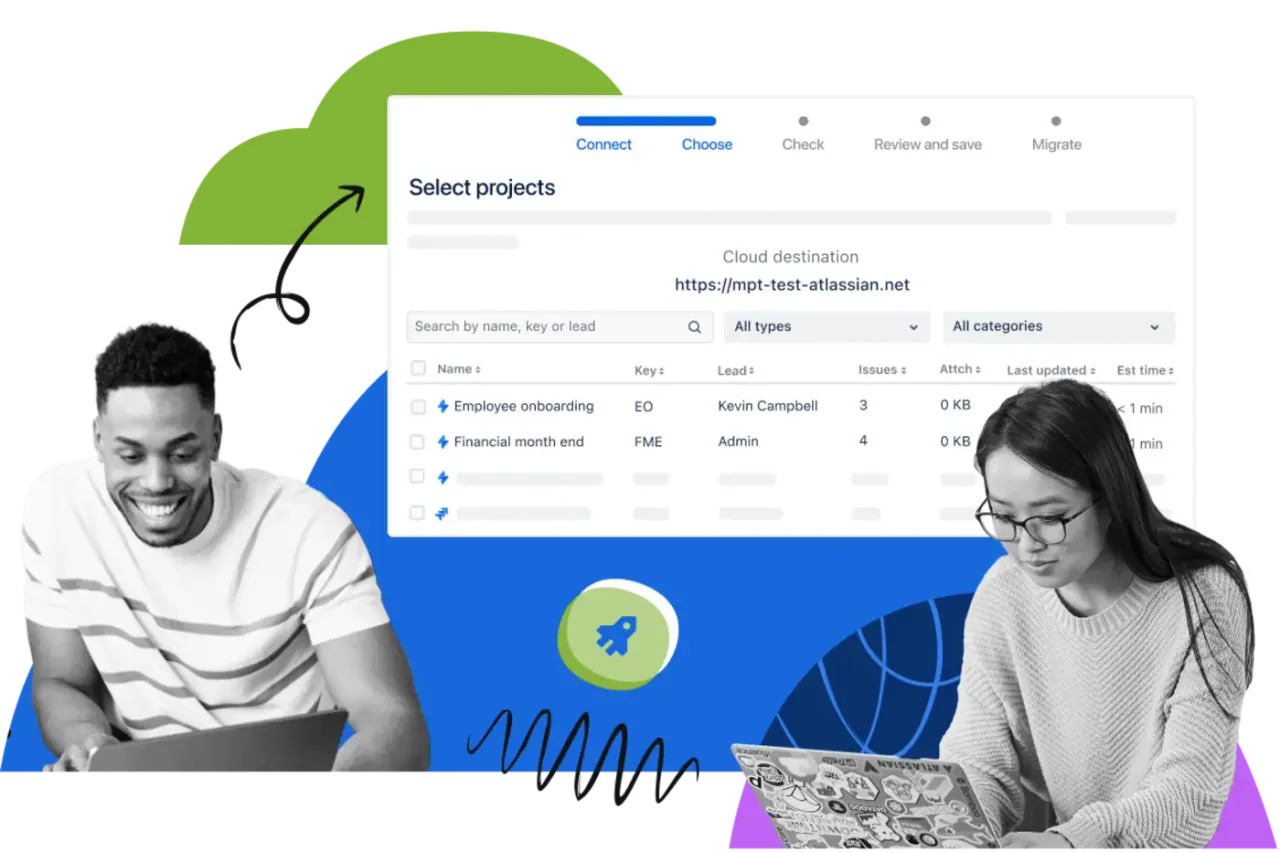
Jira Cloud Migration Assistant moves data from Jira and Jira Service Management to the Cloud. It covers users and groups, Jira Service Management customer lists, Assets data, boards, filters, dashboards, automation rules, and plans created in Advanced Roadmaps. For Confluence, use Confluence Cloud Migration Assistant, which works the same way. There are three main stages.
- Prepare: install or update the Migration Assistant, add the domains the tool needs to your network allowlist, move users, groups, and attachments ahead of time, and fix duplicate settings.
- Check: run the pre-migration check and fix the errors the tool reports.
- Migrate and monitor: start the migration, watch the status, fix any steps that failed, and run them again.
Atlassian Ascend
Atlassian Ascend is Atlassian's program for Data Center customers planning a move to the Cloud, bringing guides, tools, and resources together in one place. Each organization's terms differ. We can help you check which parts of the program your organization can use.
Choose your data location with Data residency
A question Thai organizations often ask is where data on Atlassian Cloud is stored. Atlassian lets organizations choose a data location, such as Singapore, Australia, Japan, India, South Korea, the European Union, the United Kingdom, and the United States. There is currently no location in Thailand.
- Available on the Standard, Premium, and Enterprise plans
- Supports Jira, Jira Service Management, Confluence, Assets, Rovo, and several other products
- Configured by the organization admin
- Some data types are out of scope, such as user account data, analytics data, and data from some third-party apps
Data residency sets the storage location for most data, but not every data type. If your organization has a data location policy, ask your Compliance or legal team to read Atlassian's data residency documentation before deciding.
An 8-point checklist before moving to the Cloud
Use this list as the starting point for your migration plan. Assign an owner to each item and finish them before the actual migration day.
- Survey your current system: the products and versions in use, the number of projects in Jira and spaces in Confluence, the number of active users, and total data size including attachments.
- Inventory your apps: list Marketplace apps and custom-built apps, check whether each has a Cloud version or a built-in feature that can replace it, and remove the apps you don't need.
- Users, groups, and SSO: confirm your organization's email domain (verified domain), plan the connection to Entra ID or the identity provider you use, and prepare Atlassian Guard for SAML single sign-on and user provisioning.
- Choose a data location: decide on Data residency together with Compliance before you start migrating.
- Clean up your data: close or archive unused projects and spaces, and merge duplicate custom fields and workflows. The less data you have, the easier it is to migrate and test.
- Run a test migration: start with one pilot project or space and check content, macros, permissions, and attachments. Then rehearse migrating the whole system on a Cloud test site.
- Train and communicate: tell users in advance when the migration will happen and which screens will change, and train admins and key users on each team.
- Plan the cut-over day: set the period when the old system is read-only, update links and connections to other systems, and prepare a rollback plan in case of problems.
In Jira Cloud, Atlassian now calls a project a space and an issue a work item. Users familiar with Data Center may be confused at first, so include this in your training materials.
Risks to watch for
The trouble spots are usually what the organization has customized over the years rather than the data itself. Check these four areas during the assessment.
Apps and macros
Some apps have no Cloud version, or have one with different features. App data doesn't always migrate automatically either, and each app has its own migration method set by its vendor. In Confluence, older pages that use unsupported macros or were formatted with an older editor may display differently after migration.
Permissions and user groups
Complex permissions set up on Data Center need to be rechecked after migration to confirm each group still sees just the data it should, especially in projects and spaces that hold customer or personal data.
Workflows, automation, and integrations
Workflows and automation rules you've built need to be retested on the Cloud. Integrations with other systems, such as monitoring tools, email, or internal systems that call APIs, need their endpoints updated to point to the new Cloud site.
Jira Service Management and Assets
Jira Cloud Migration Assistant can move customer lists and Assets data, but after migration you should always check request types, queues, SLAs, and links to Assets, because employees across the organization use this system to submit requests every day.
Migration sequence
Atlassian's Cloud migration guide divides the work into several phases. The sequence below is an overview you can plan with. Actual timing depends on data size, the number of apps, and the number of teams involved.
- Assess: survey the system, apps, users, and data requirements.
- Plan: choose a Cloud plan, a data location, and a migration method, then set the migration date.
- Prepare: clean up data, set up SSO, and prepare the apps on the Cloud side.
- Test: migrate a pilot set, check the results, then rehearse migrating the whole system.
- Migrate: set Data Center to read-only, migrate the data, and check the results.
- After migration: train users, adjust integrations, and monitor the system closely in the early period.
Atlassian recommends that most teams migrate everything in one pass (lift and shift), because migrating in several rounds carries more risk. Organizations with a lot of data or many departments may need to split up preparation and testing in more detail.
Atlassian recommends planning from the Data Center milestone dates and counting backward. Add budget cycles, fiscal year-end, and business change freezes to the calendar too, and you will see that the time actually available is shorter than you think.
How we can help
Data Express helps Thai organizations assess their Data Center systems, plan the migration, migrate data, test, and train users, both before and after the move to the Cloud. We are an Atlassian Gold Solution Partner, with 6 sales and 6 delivery accreditations from Atlassian.
- Assess the systems, apps, and data to be migrated
- Plan the migration and help choose the Cloud plan that fits each team
- Migrate data, test, and resolve issues along the way
- Set up SSO and user permissions with Atlassian Guard
- Train admins and users in Thai
- Support the system after migration with our Premium Support service
If you're not sure where to start, book a call with our team to review the systems you use today, and we'll help you prioritize what to do next.
Frequently asked questions
When does Atlassian Data Center expire, and what happens afterward?
Data Center reaches end of life on March 28, 2029. After that, subscriptions and Marketplace apps expire, the system becomes read-only, and Atlassian stops updates and support. Existing data can still be viewed, but your team can no longer create or edit work in it.
Can I still buy Jira Data Center? Until when can existing customers buy more?
New customers can no longer buy it as of March 30, 2026. Organizations that already have Data Center can buy new subscriptions, buy Marketplace apps, and add users until March 30, 2028. Buying more lets you keep working while you prepare to migrate, but it does not move the end-of-life date.
What do I need to prepare to move Jira and Confluence from Data Center to the Cloud?
Start by surveying your current systems and apps, preparing users and SSO, choosing a data location, cleaning up data, running a pilot migration, training users, and planning the actual migration day. Each item is covered in this article's checklist.
Does Atlassian Cloud have a data center in Singapore? Can data be stored in Thailand?
Yes. Singapore is one of the locations you can choose through Data residency on the Standard, Premium, and Enterprise plans. There is currently no location in Thailand, and some data types, such as user account data, are outside the scope of Data residency.
Can every Marketplace app move to the Cloud?
Not every one. Some apps have no Cloud version, some have different features, and app data doesn't always migrate automatically. Check each app on the Atlassian Marketplace and look at the migration method its vendor specifies. In some cases, a built-in Cloud feature can replace the old app outright.